> ## Documentation Index
> Fetch the complete documentation index at: https://docs.phidata.com/llms.txt
> Use this file to discover all available pages before exploring further.
# Run on AWS
Let's run the **Junior DE** in production on AWS.
## Production Junior DE
**Open the LoadBalancer DNS** provided when creating the Streamlit App
### DuckGPT
* Enter the `APP_PASSWORD` from the `prd_app_secrets.yml` file (default: `admin`)
* Click on **DuckGPT** and Enter a username.
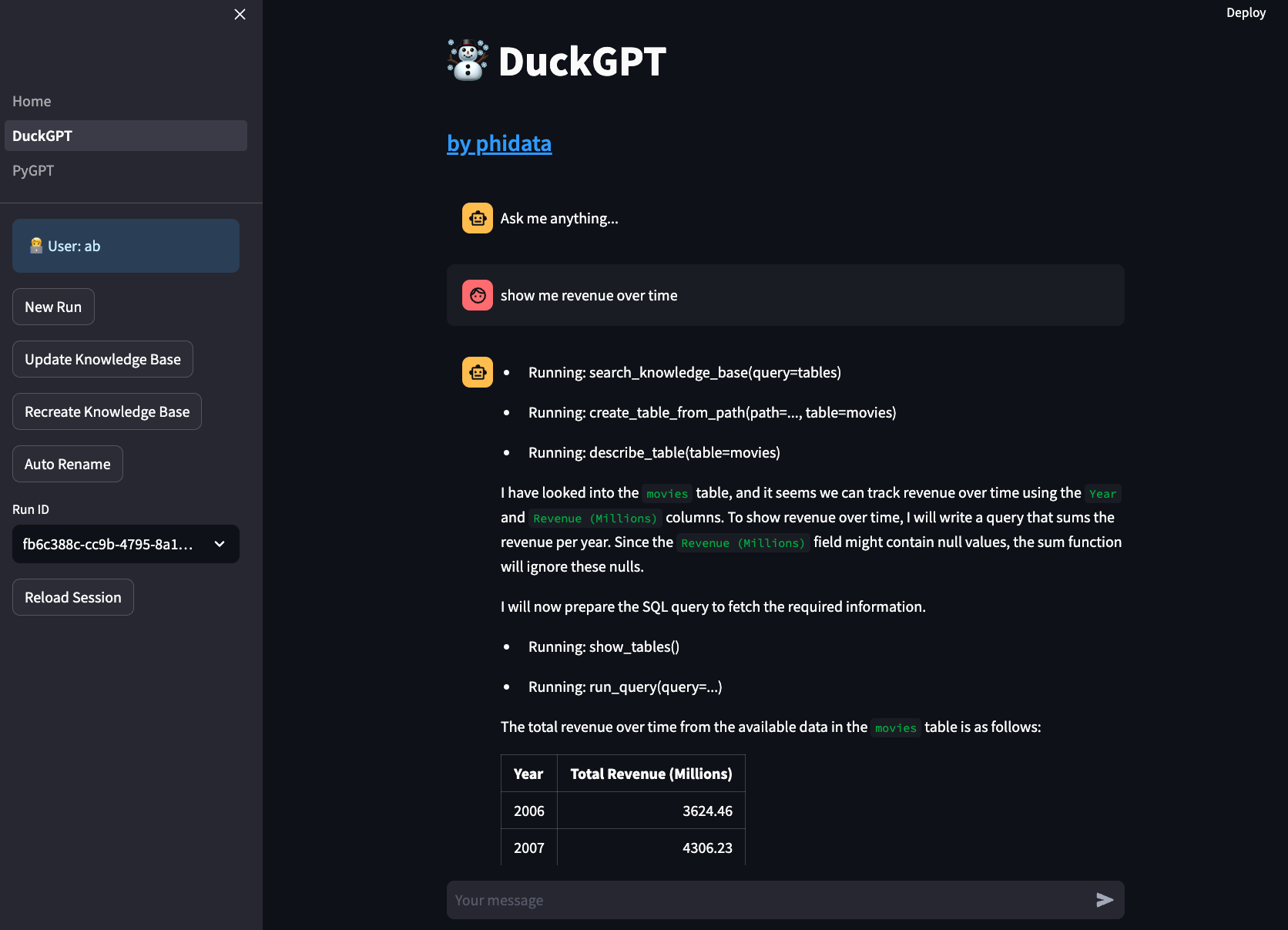
* Message "Show me revenue over time"
* See your Junior DE work through the problem.
 ## Next
Congratulations on running your Junior DE on AWS. Next Steps:
* Read how to [update workspace settings](/templates/how-to/workspace-settings)
* Read how to [create a git repository for your workspace](/templates/how-to/git-repo)
* Read how to [manage the production application](/templates/how-to/production-app)
* Read how to [format and validate your code](/templates/how-to/format-and-validate)
* Read how to [add python libraries](/templates/how-to/install)
* Read how to [add a custom domain and HTTPS](/templates/how-to/domain-https)
* Read how to [implement CI/CD](/templates/how-to/ci-cd)
* Chat with us on [discord](https://discord.gg/4MtYHHrgA8)
## Next
Congratulations on running your Junior DE on AWS. Next Steps:
* Read how to [update workspace settings](/templates/how-to/workspace-settings)
* Read how to [create a git repository for your workspace](/templates/how-to/git-repo)
* Read how to [manage the production application](/templates/how-to/production-app)
* Read how to [format and validate your code](/templates/how-to/format-and-validate)
* Read how to [add python libraries](/templates/how-to/install)
* Read how to [add a custom domain and HTTPS](/templates/how-to/domain-https)
* Read how to [implement CI/CD](/templates/how-to/ci-cd)
* Chat with us on [discord](https://discord.gg/4MtYHHrgA8)