> ## Documentation Index
> Fetch the complete documentation index at: https://docs.phidata.com/llms.txt
> Use this file to discover all available pages before exploring further.
# Monitoring
> Phidata comes with built-in monitoring and debugging.
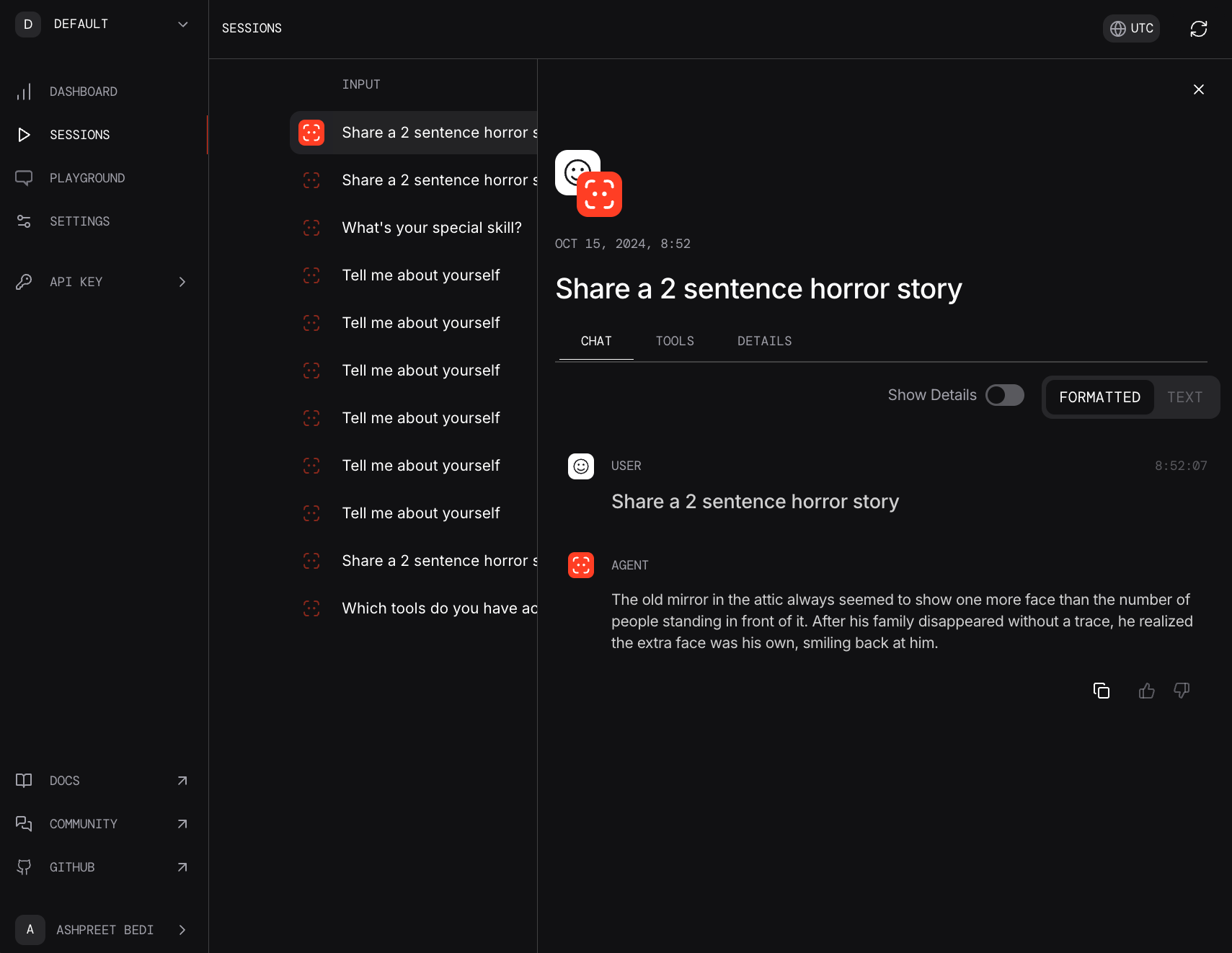
You can set `monitoring=True` on any agent to log that agent's sessions or set `PHI_MONITORING=true` in your environment to log all agent sessions.
Create a file `monitoring.py` with the following code:
```python monitoring.py theme={null}
from phi.agent import Agent
agent = Agent(markdown=True, monitoring=True)
agent.print_response("Share a 2 sentence horror story")
```
### Run the agent
Run the agent and view the session on [phidata.app/sessions](https://www.phidata.app/sessions)
```shell theme={null}
python monitoring.py
```
 ## Debugging
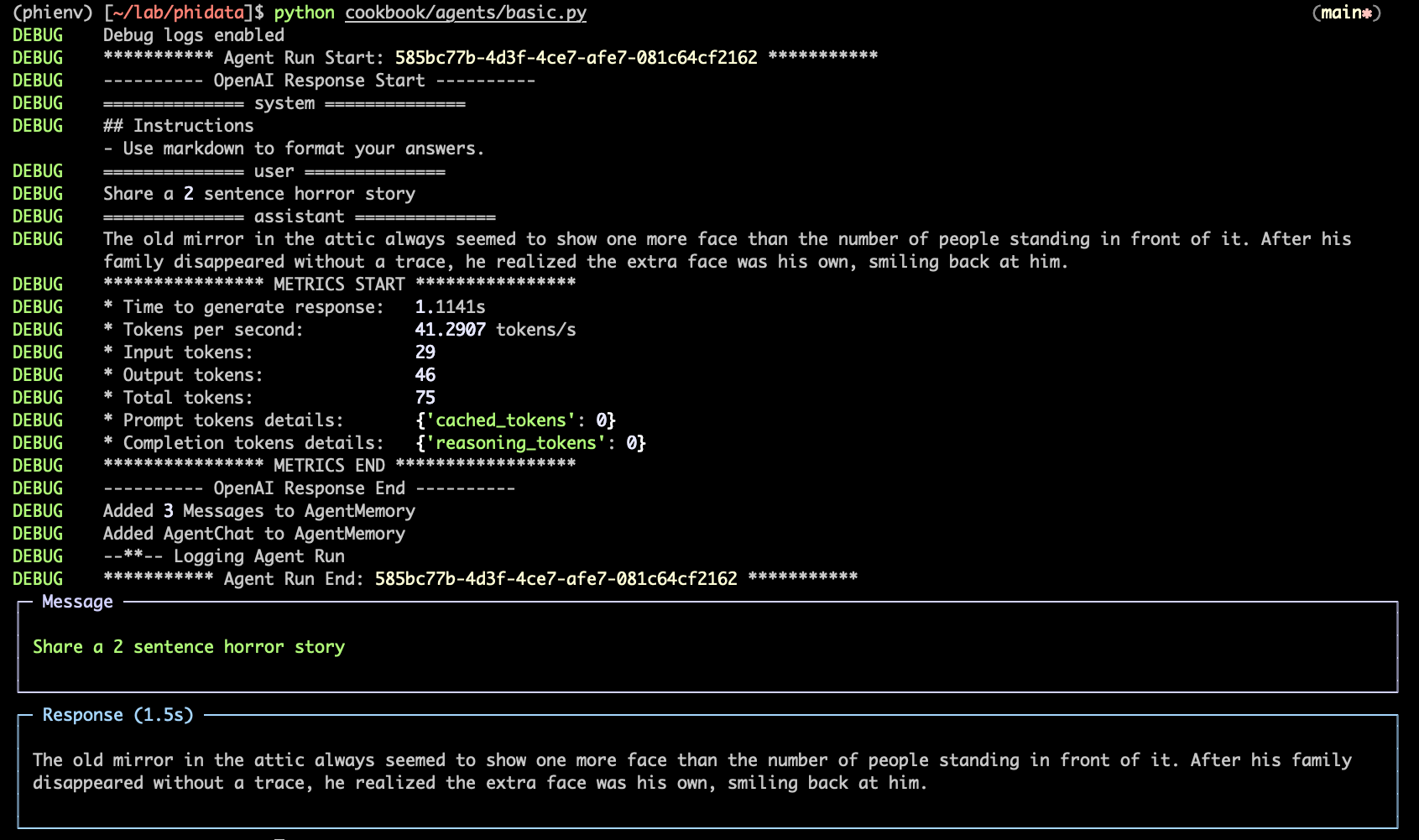
Phidata also includes a built-in debugger that will show debug logs in the terminal. You can set `debug_mode=True` on any agent to view debug logs or set `PHI_DEBUG=true` in your environment.
```python debugging.py theme={null}
from phi.agent import Agent
agent = Agent(markdown=True, debug_mode=True)
agent.print_response("Share a 2 sentence horror story")
```
Run the agent to view debug logs in the terminal:
```shell theme={null}
python debugging.py
```
## Debugging
Phidata also includes a built-in debugger that will show debug logs in the terminal. You can set `debug_mode=True` on any agent to view debug logs or set `PHI_DEBUG=true` in your environment.
```python debugging.py theme={null}
from phi.agent import Agent
agent = Agent(markdown=True, debug_mode=True)
agent.print_response("Share a 2 sentence horror story")
```
Run the agent to view debug logs in the terminal:
```shell theme={null}
python debugging.py
```